Feel the whole kit.
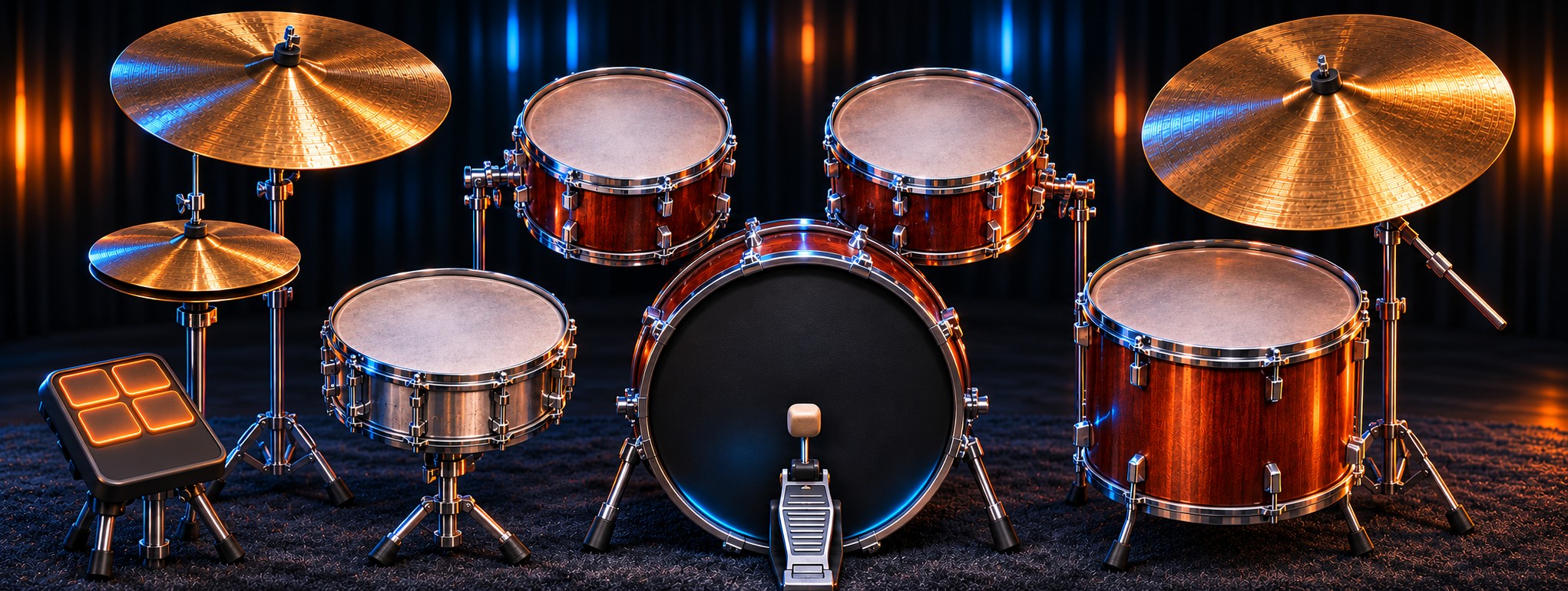
Kick, snare, toms, cymbals and hi-hats. Use multiple fingers to layer hits, with animated strikes that follow your playing.
KickSnareHi-hatCrash+ more
YOUR POCKET DRUM STUDIO
A full drum stage, right at your fingertips. Play a groove, capture an idea, and build a kit that feels like you.
 A whole kit. Endless possibilities.
BUILT TO BE PLAYED
From your first backbeat to that groove you can’t get out of your head. There’s room for it here.
Kick, snare, toms, cymbals and hi-hats. Use multiple fingers to layer hits, with animated strikes that follow your playing.
Explore 12 grooves, set your pace, and build steadier timing with a metronome, count-in and repeat practice.
Record the drum hits you play, loop your take, then name it and save it in your on-device Beat library.
Switch to Custom, drag instruments onto the stage, and adjust their position, size and rotation. Your layout stays ready for the next session.
FROM OPEN APP TO FIRST BEAT
The quick guide walks you through the basics. Then tap a drum or cymbal and hear your first hit.
Follow a practice groove or find your own. Set the tempo and let the rhythm take shape.
Save a take, arrange a custom stage, and tune the lights, glow and labels to your liking.
Yes. The drum sounds and practice grooves are bundled with the app. Playing, practicing and saving beats work offline. Opening the app store uses an external service.
Yes. Record the instrument hits you play, loop them and save named takes in your Beat library. This stores a playable beat on your device; it does not export an audio file or record your microphone.
Select Custom on the stage to open the instrument tray. Drag instruments into place and adjust their size and rotation. Your custom layout is saved locally.
They stay in local app storage. There’s no account or app-provided cloud sync. Clearing app data or uninstalling can remove them; your device’s backup settings may also apply.
MADE BY FUSION WAVE